
Quickstart
Sign up, let FishOut read your website, review what it drafts, and read the first inbox it builds for you.
FishOut runs in the browser. There is nothing to install.
Create an account
Sign up at app.fishout.ai. The free plan needs no card and gives you 10 keywords on Reddit, Hacker News, Bluesky, GitHub and Google News. If your account does not have a name yet, setup starts by asking what to call you.
Setup creates an organisation with one project. A project is one thing you listen for — a product, or a client. Most teams need one; agencies need one per client. See Organisations.
Say what brings you here
Pick the closest goal: Find customers, Monitor my brand, Track competitors, Research a topic or Something else. It only sets defaults; you can change anything later.
Give it your website
Enter your website and FishOut reads it — the homepage, plus a pricing or comparison page if there is one. From that it drafts your Brief, your brand terms, likely competitors, topic phrases, and your own accounts so your posts never show up in your inbox.
No website, or not about one? Choose Describe what you want to follow and write a sentence or two instead. If the read fails, you fill the details in yourself; it takes a minute.
Review
Nothing is saved until you start, so change whatever is wrong:
- The project name, with the organisation it belongs to on the line beneath (Change renames it).
- The Brief — two to six sentences: what you do, who it is for, what to ignore. The AI reads it with every post, so this is the most useful minute you will spend.
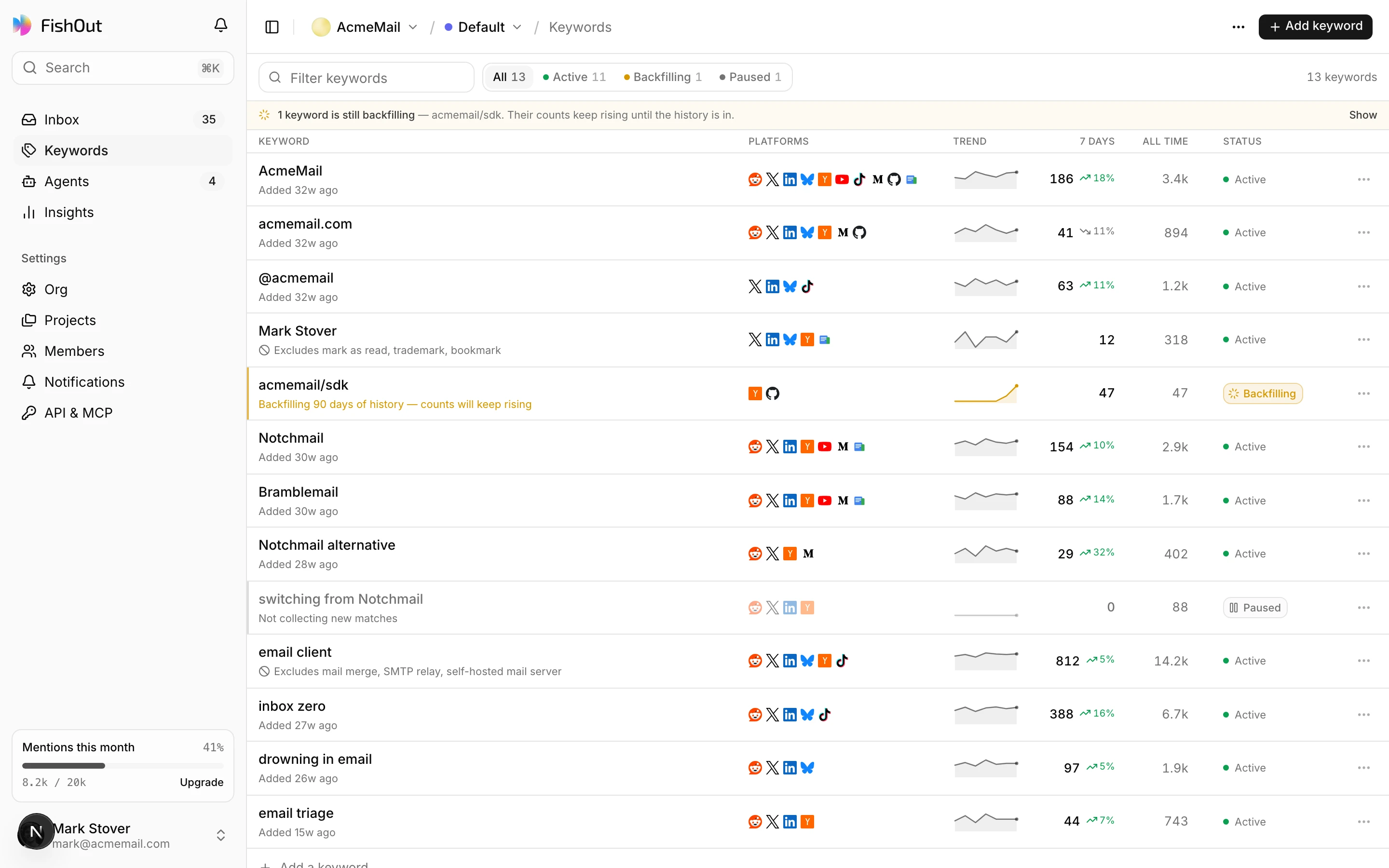
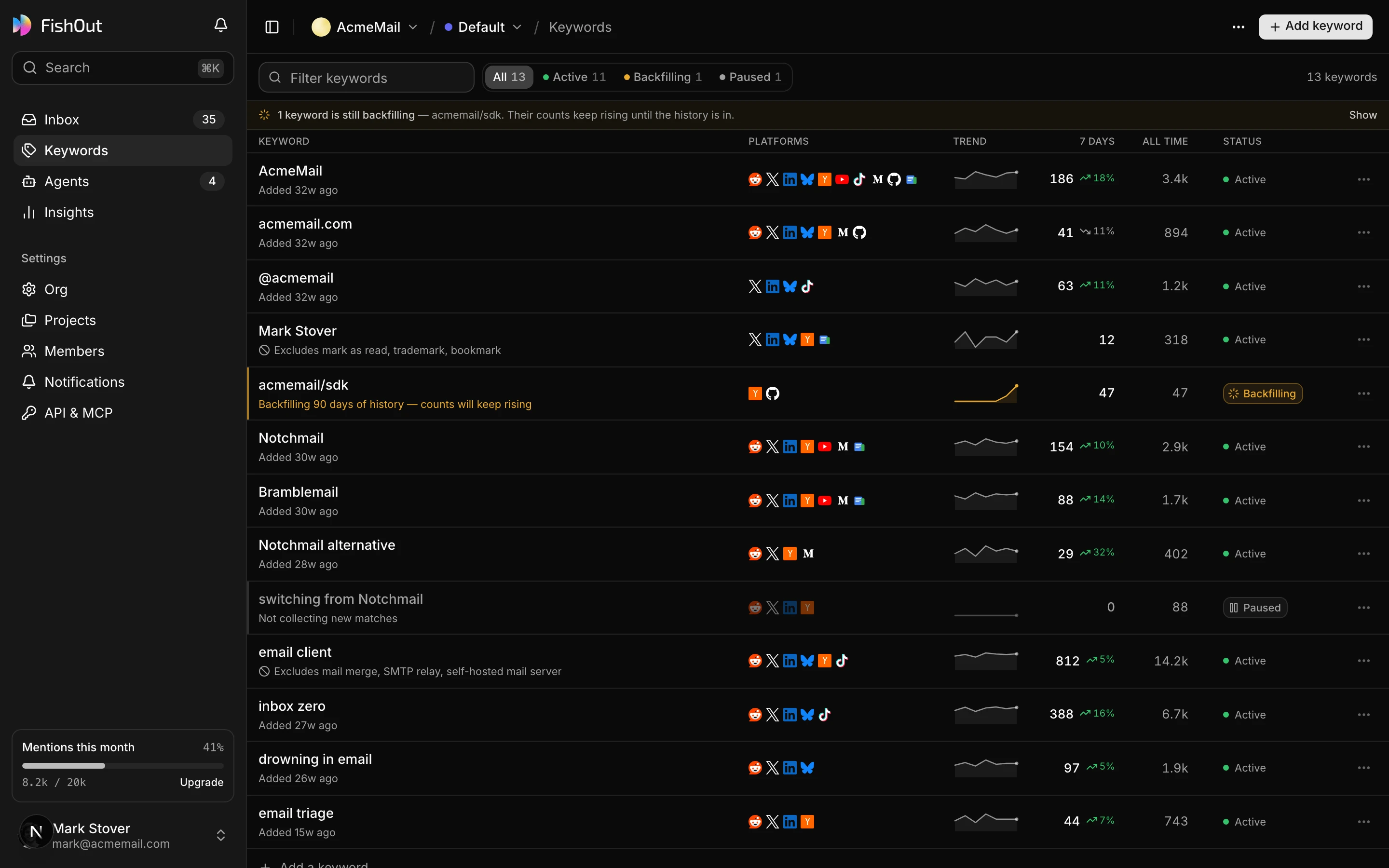
- Keywords, grouped as Brand, Competitor and Topic. Each has a Means… line for terms that are also ordinary words, and a volume preview — roughly how many posts a week it finds on Reddit and Hacker News, and what share of them are relevant. A suggestion whose preview is under 20% relevant starts switched off; turn it on if you want it anyway.
- An estimate of relevant mentions a month for the keywords that are on, against your plan's allowance.
- Suggested sources — where last week's relevant posts came from. Turn one off to skip it for every keyword.
Do not make every keyword your own name. A competitor you lose deals to finds people shopping, and a phrase describing the problem you solve finds people who need you but have not heard of you.
Start listening
Start listening runs a short setup you can watch: it creates the project and saves your Brief, starts listening for each keyword, and looks for your first posts before opening the inbox. If a step fails, setup pauses on it without duplicating anything, and you fix it and carry on. Each new keyword brings recent history with it — 2 days on Free, 30 on Plus, 60 on Pro and 90 on Business — so posts start arriving straight away, and a banner shows the backfill as it runs. You get an email when the inbox is ready.
Read the top of the inbox
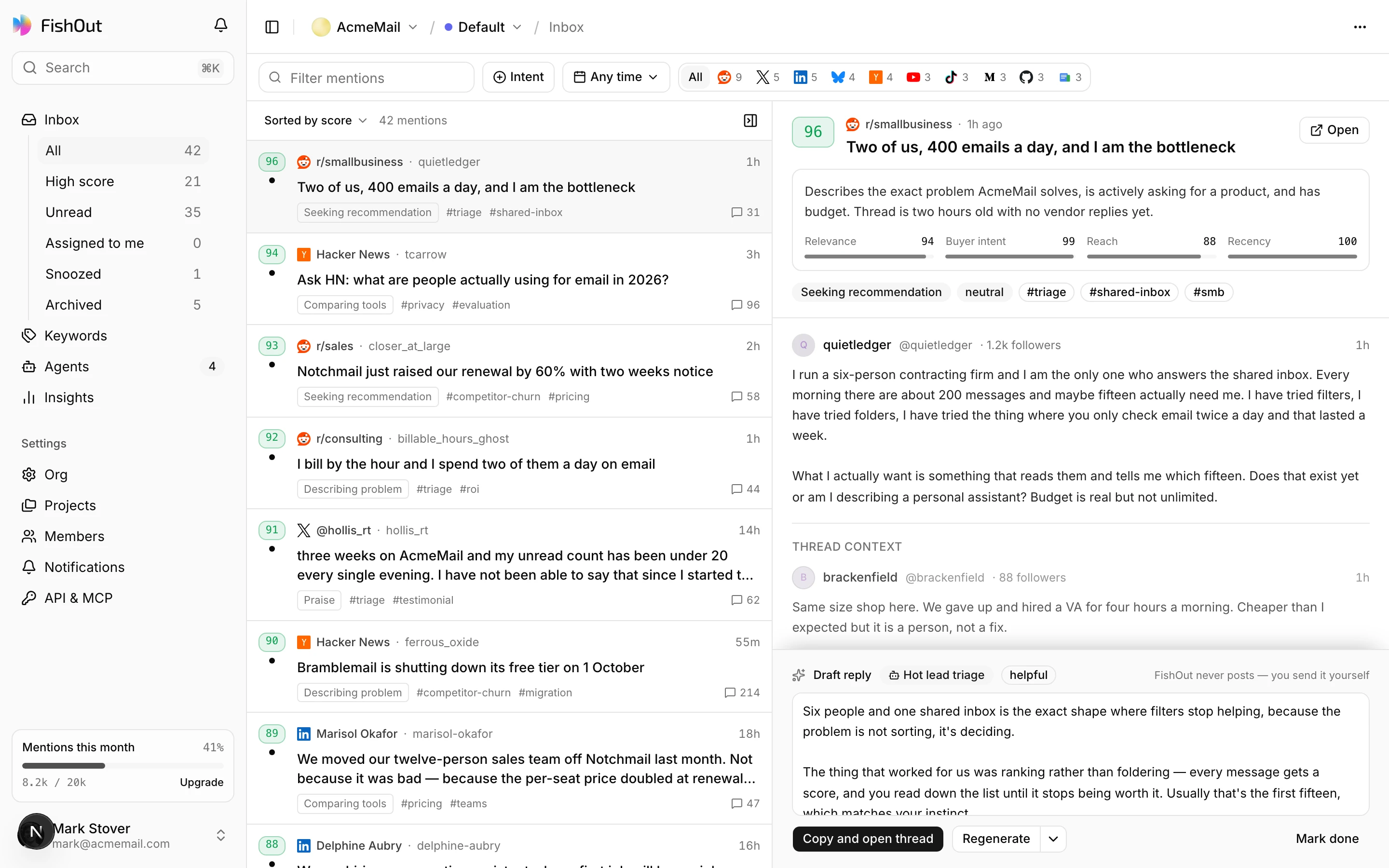
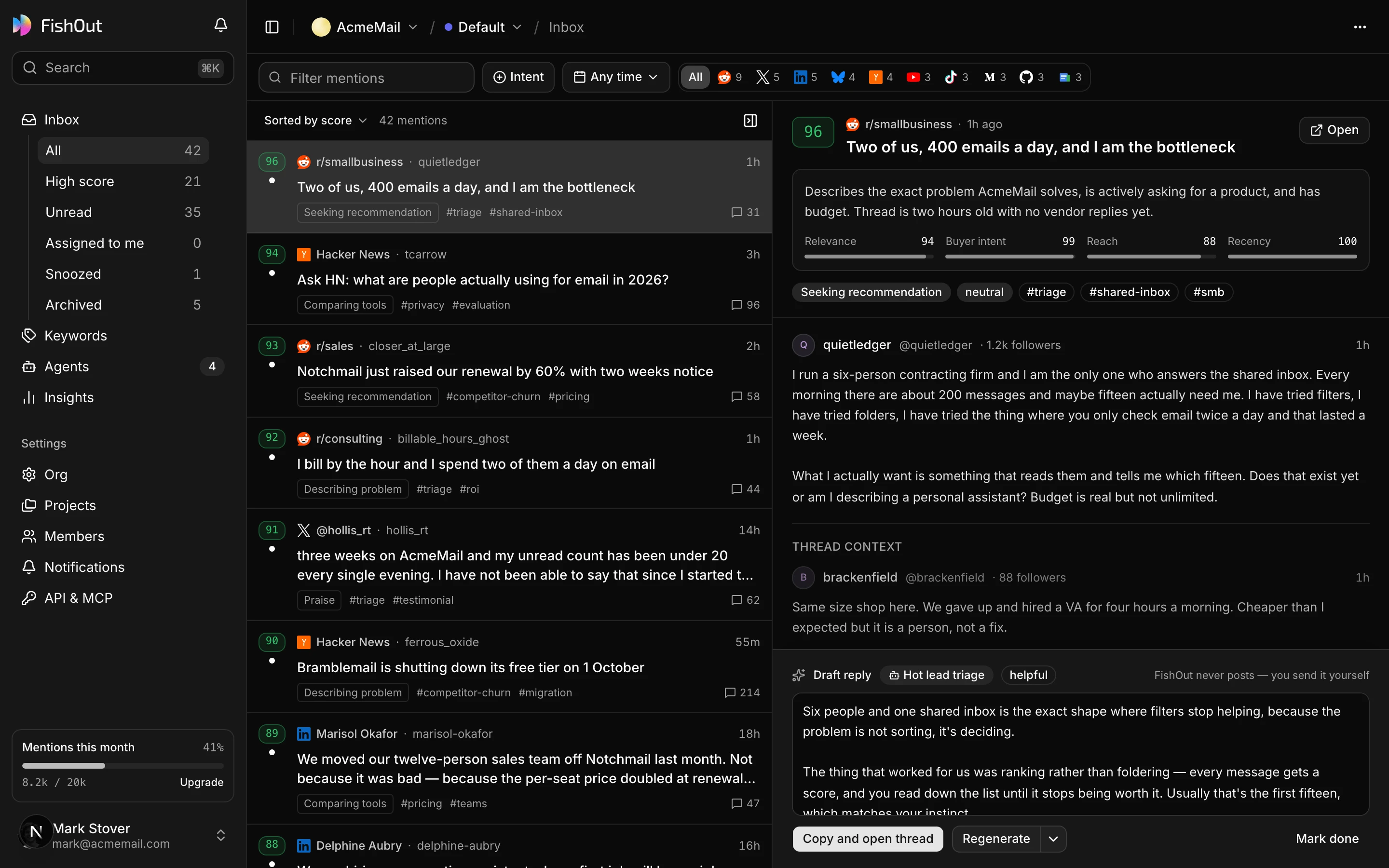
The inbox is sorted best first: relevance, then whether the post is worth a reply, then freshness. Start at the top and stop when it stops being interesting — usually around ten. The built-in views — Reply now, Leads, Support and the rest — are the same list cut by what you are trying to do.
Open one and you get the post, why it is relevant, its labels, and the Reply call. On a paid plan, Generate draft writes a reply in your Voice; copy it, edit it, and post it from your own account.
What to do next
- Nothing is coming in. Your keyword may be too specific, or restricted to platforms where nobody uses that phrase. The FAQ covers this.
- Too much is coming in. Tighten the Brief, add a Means line or exclude words to the noisy keyword, and use Not for us on the posts that should not be there. See Relevance and labels.
- You want it in Slack. Set up a channel with a relevance floor so only the good ones interrupt you — Alerts.
- You want your own assistant to read it. Connect the MCP server.