
REST API
Read mentions, manage keywords and drive agents from your own code. Available on every plan, including Free.
Everything in the dashboard is available over HTTP. The API is on every plan, including Free — same endpoints, same permissions, same rate limits.
https://app.fishout.ai/api/v1Every operation has its own page in the API reference (start with List mentions), generated from the OpenAPI 3.1 document. The MCP server exposes the same operations as tools, under the same names.
Authentication
Send a credential as a bearer token on every request. There are two kinds: an API key for your own scripts and servers, and an OAuth access token for an app that acts for someone who signs in.
curl https://app.fishout.ai/api/v1/orgs \
  -H "Authorization: Bearer $FISHOUT_API_KEY"
Never put a credential in a URL: a query-string token is refused.
API keys
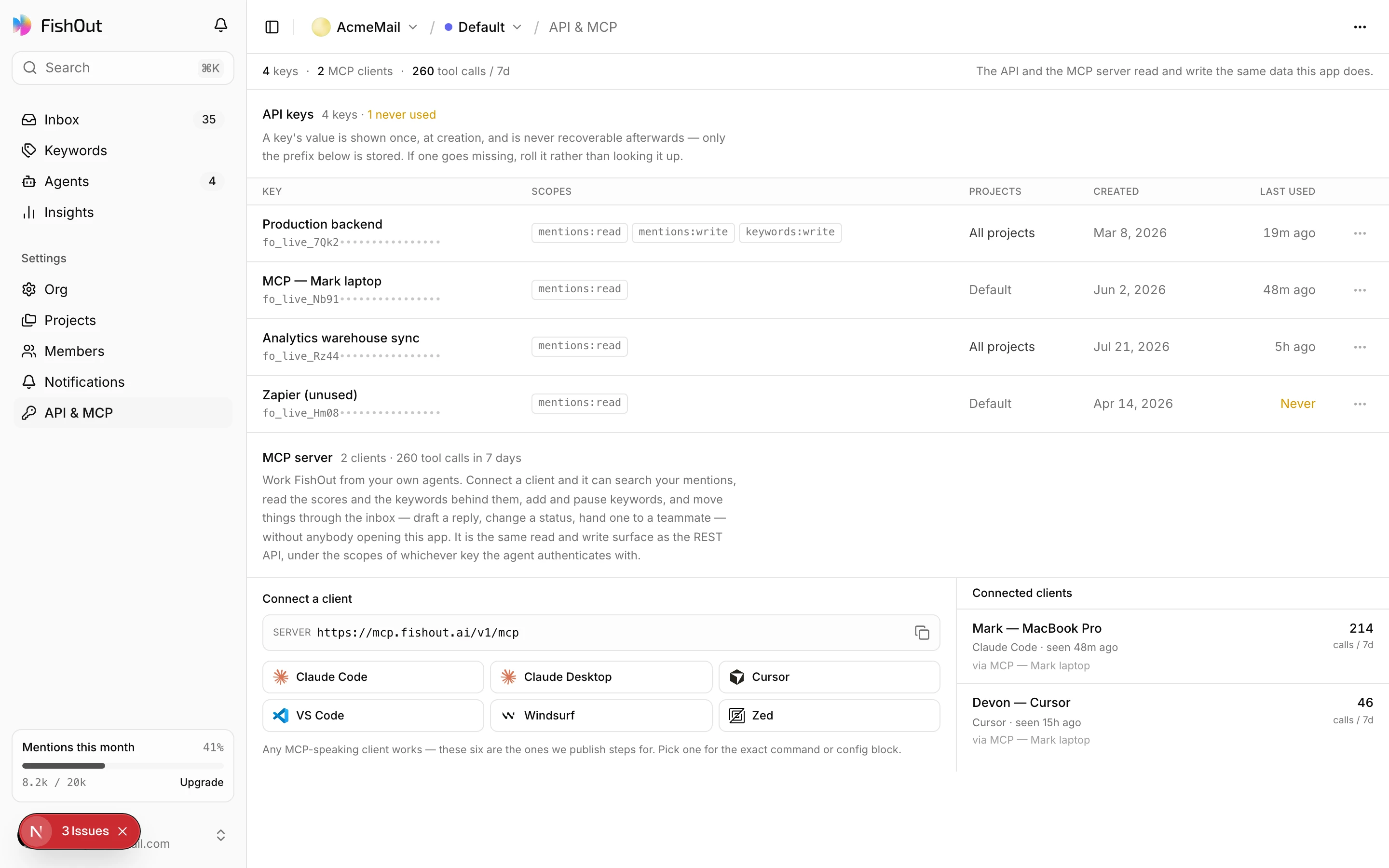
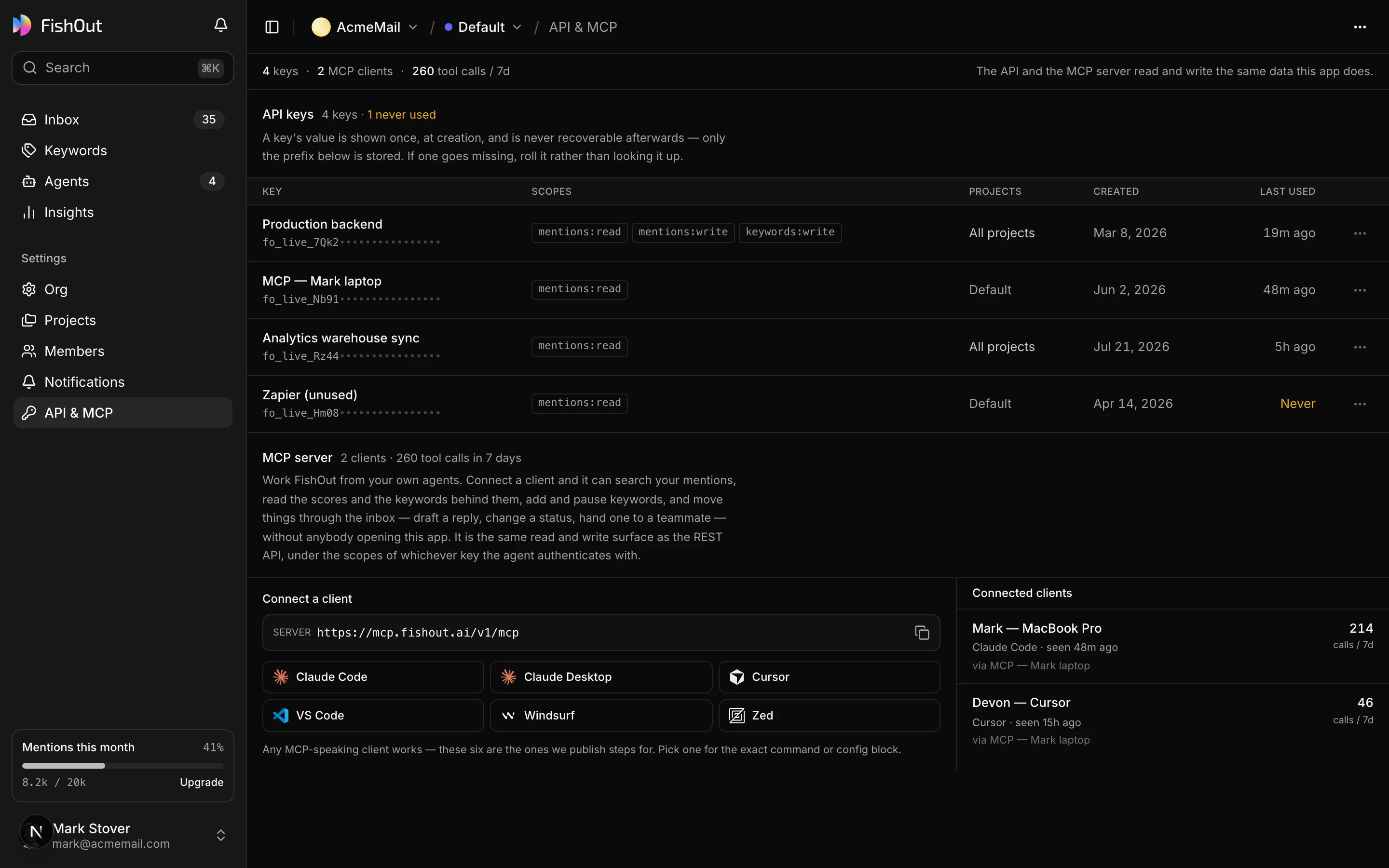
Create a key under Settings → API & MCP. Give it a name you will recognise in six months, then choose:
- Access — Read-only or Read & write, or individual permissions under Advanced permissions.
- Projects — All projects, which includes projects created later, or the ones you pick.
- Expires after — 30, 90 or 365 days. 90 is the default.
The key is shown once and stored hashed, so there is no way to recover it later. Creating or rotating a key needs a verified email and a recent sign-in.
You can change a key's access later without replacing it. Rotate key issues a new value with the same access and the same remaining lifetime, and Revoke key ends it at once. The list shows when each key was last used.
OAuth
Use OAuth when your app acts for a FishOut user rather than for yourself. It is the standard authorization code flow with PKCE:
| Authorize | https://app.fishout.ai/api/auth/oauth2/authorize |
| Token and refresh | https://app.fishout.ai/api/auth/oauth2/token |
| Revoke a refresh token | https://app.fishout.ai/api/auth/oauth2/revoke |
| Discovery | https://app.fishout.ai/.well-known/oauth-protected-resource/api/v1 |
| Scopes | read, write, admin, owner, and offline_access for a refresh token |
- Send an S256 code challenge, and
resource=https://app.fishout.ai/api/v1. A token is bound to the resource it was issued for, so a REST token does not work on the MCP server, or the other way round. - Register your client with a Client ID Metadata Document: your
client_idis an HTTPS URL serving JSON with at leastclient_nameandredirect_uris. Dynamic Client Registration at/api/auth/oauth2/registerremains available for clients that need it. - The person signs in, picks the organization and the projects your app may reach, and approves the permissions. Read the endpoints from discovery rather than hard-coding them.
- Access tokens last five minutes. Refresh tokens rotate on every use and work once. Disconnecting the app under Settings → API & MCP stops it at once, including tokens already issued.
Permissions
A credential carries only the permissions it was given, and none implies another — write
does not include read. Read-only integrations should never hold write.
| Permission | Allows |
|---|---|
read | List and read mentions, triage, keywords, reports and insights |
write | Change mentions, keywords, labels, agents and reports |
admin | Manage organization settings, members and notification channels |
owner | Ownership-level operations such as deleting the organization |
A credential belongs to one organization and either all of its projects or the ones picked. A key for one client's project cannot read another's — which is what makes the agency setup safe. Every request is checked against the current membership, so removing someone from a project removes their apps' access too.
Requests and responses
Request bodies are JSON, sent with Content-Type: application/json, and at most 256 KB.
A request with no body, such as most DELETEs, can leave the header off.
Every response wraps its result in the same envelope:
{
  "data": { "id": "mt_b001", "relevance": 92, "replyCall": "reply_now" },
  "meta": { "requestId": "req_7f3c…", "replayed": false }
}
Quote meta.requestId (also in the X-Request-Id header) when you report a problem. A
value FishOut does not know, such as an author's profile link the platform did not provide,
is null rather than missing or guessed.
Query parameters. A structured parameter, such as a list filter, is a JSON-encoded value, not dotted fields or repeated keys. A repeated key is refused.
curl --get "https://app.fishout.ai/api/v1/orgs/$ORG/projects/$PROJECT/mentions" \
  -H "Authorization: Bearer $FISHOUT_API_KEY" \
  --data-urlencode 'filter={"view":"reply-now","minRelevance":70}' \
  --data-urlencode 'limit=50'
Post text is untrusted. Mentions carry what strangers wrote on public platforms. If you pass it to a language model, treat it as data, never as instructions.
Idempotency
Every write — POST, PATCH or DELETE — needs an Idempotency-Key header: a value of 8
to 128 printable ASCII characters that is new for each action. A UUID works.
curl -X POST "https://app.fishout.ai/api/v1/orgs/$ORG/projects/$PROJECT/keywords" \
  -H "Authorization: Bearer $FISHOUT_API_KEY" \
  -H "Content-Type: application/json" \
  -H "Idempotency-Key: $(uuidgen)" \
  -d '{"term":"AcmeMail","kind":"brand","platforms":["reddit","hackernews"]}'
It makes retries safe. Send the same key again with the same request, after a timeout say,
and you get the saved response of the first one, marked Idempotency-Replayed: true and
meta.replayed: true, instead of a second keyword. Keys are kept for 24 hours.
- The same key with different fields is refused with
409 idempotency_conflict. - A retry while the first request is still running gets
409 operation_in_progresswithRetry-After; wait and send it again. - Reuse a key only to retry the same action. A new action needs a new key.
Long-running work
A few operations start work that takes longer than a request: refreshing a keyword,
drafting a reply, running an agent, generating the Daily brief or a report, and testing a
notification channel. They answer 202 Accepted with an operation:
{
  "data": {
    "id": "op_51e2…",
    "kind": "draft-reply",
    "status": "pending",
    "statusUrl": "https://app.fishout.ai/api/v1/orgs/org_acme/projects/prj_default/operations/op_51e2…",
    "statusTool": "get_operation"
  }
}
Poll statusUrl until status is succeeded, failed or canceled; on the way it moves
through pending, dispatched and running. A finished operation carries its result, or
an errorCode. An operation can be cancelled only before it has started.
Actions that need a person
Some actions must be finished by a person in a signed-in browser: paying, changing plan or
opening the billing portal, funding an agency client, creating an organization, creating or
rotating an API key, accepting an invitation, and changing account settings. Over the API
these answer 202 with a link instead of acting:
{ "data": { "status": "requires_action", "url": "https://app.fishout.ai/…" } }Hand the url to the person. Opening it does not approve anything: they review the change
and confirm it themselves, with their own permissions checked again.
Pagination
List endpoints take limit (1 to 100, default 50) and return meta.nextCursor. Follow it,
with the same query, until it is null. Do not construct offsets: mentions arrive
continuously, and offsets will skip or repeat rows.
Errors
Errors use standard status codes and one body shape:
{
  "error": {
    "code": "forbidden",
    "message": "This operation requires the write scope.",
    "requestId": "req_7f3c…"
  }
}
message is written for a person; branch on code.
| Status | Codes | Meaning |
|---|---|---|
400 | invalid_request, invalid_cursor, invalid_idempotency_key | The request is malformed: a field, a cursor from another query, or a missing or bad key |
401 | unauthenticated | No credential, or a bad, expired or revoked one |
402 | quota_exceeded | Your plan's limit for this action is reached |
403 | forbidden | The credential lacks the permission, or the project is outside its reach |
404 | not_found | The resource does not exist, or the credential cannot see it |
409 | conflict, idempotency_conflict, operation_in_progress | The current state does not allow it, or see Idempotency |
413 | payload_too_large | The body is over 256 KB |
415 | unsupported_media_type | The body is not application/json |
429 | rate_limited | See Rate limits |
5xx | internal_error and others | Something failed on our side; retry with a growing delay |
A 401 or 403 also carries a WWW-Authenticate header. For a missing OAuth scope it names
the scope (error="insufficient_scope"), so your app can ask the person to approve it.
Rate limits
120 requests a minute per key or OAuth connection, on every plan, shared with the MCP server. Every response carries the current state:
RateLimit-Limit: 120
RateLimit-Remaining: 114
RateLimit-Reset: 42
RateLimit-Policy: "principal";q=120;w=60
RateLimit-Reset is seconds until the window resets. A 429 also carries Retry-After;
wait that long and retry with a growing delay rather than immediately — an immediate retry
loop is the fastest way to stay rate limited.
Getting data out in bulk
For a snapshot of the figures, save a report. For a continuous feed, webhooks push to you and cost neither of us a polling loop.